LESSONS · FOR KIDS
Typing Practice for Kids
Free typing practice for kids that mixes short lessons with easy games. Lessons 1–10 take a child from the home row to whole sentences, an on-screen keyboard shows which finger presses each key, and every finished lesson or game earns care points for a pet that grows from an egg into a fox.
Practice games that match the first ten lessons
- EASY
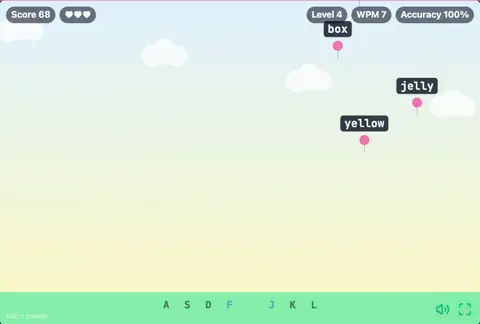
Alpha Words
Pairs with lessons 1–6. Level 1 is only the home-row letters A S D F J K L.
Practise with Alpha Words - EASY
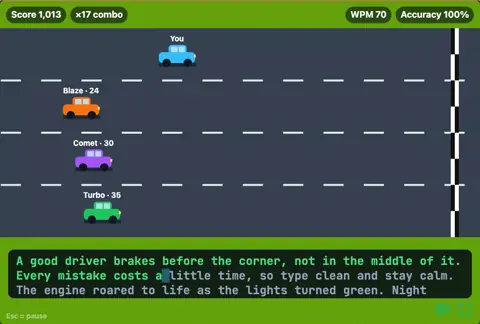
Car Racing Typing Game
Pairs with lessons 7–8. Every correct letter moves the car; a wrong key just stalls it.
Practise with Car Racing Typing Game - EASY
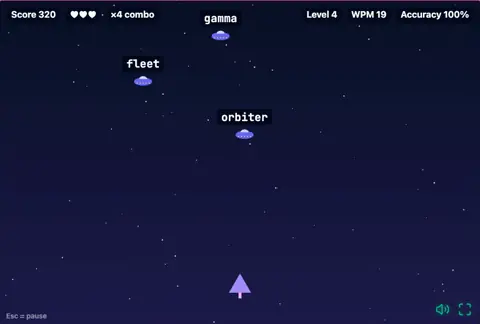
Galactic Mission
Pairs with lessons 7–8. Short ship names to type, one full phrase every third wave.
Practise with Galactic Mission - EASY
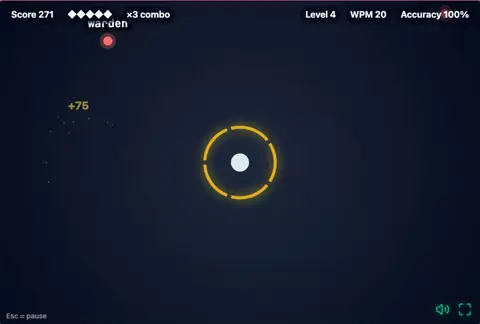
Endless Shield
Pairs with lessons 9–10. Steady typing keeps the shield up for five hits.
Practise with Endless Shield - MEDIUM
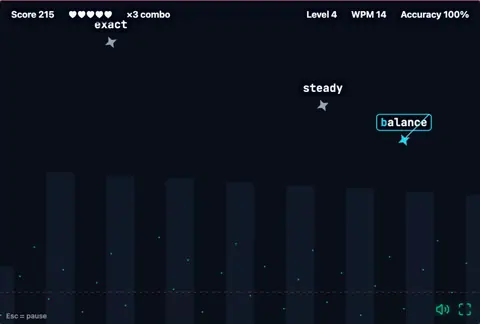
CyberNinja Typing Accuracy Game
For the child who rushes: words fall slowly, but each wrong key costs a heart.
Practise with CyberNinja Typing Accuracy Game - MEDIUM
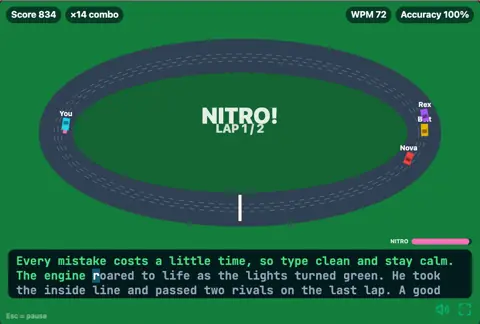
Nitro Track Racing
After lesson 10: two laps, and five clean words in a row fill the NITRO boost.
Practise with Nitro Track Racing
The first ten lessons, step by step
| Lesson | What your child practises | Practice game |
|---|---|---|
| 1. The Home Row | A S D F and J K L, fingers resting on the home row | Alpha Words |
| 2. Top Row Reach | Reaching up from the home row and back | Alpha Words |
| 3. Bottom Row Basics | Reaching down without moving the hand | Alpha Words |
| 4–6. Finger drills | Index, middle, then ring and little fingers | Alpha Words, higher levels |
| 7–8. Basic Words | Short real words | Car Racing, Galactic Mission |
| 9. Short Sentences | Simple sentences such as “The cat sat on the warm mat.” | Endless Shield |
| 10. Beginner Mastery | A mixed review of everything so far | Nitro Track Racing |
A lesson counts as passed at 90% accuracy. The lesson screen shows an on-screen keyboard with every key coloured by the finger that should press it, and the next key lights up, so a child can learn finger positions without a printed chart. (The keyboard is hidden on screens narrower than 640 pixels; practise on a laptop or desktop.)
A 10-minute daily practice routine
- Warm up, 1 minute. Fingers on the home row: left hand on A S D F, right hand on J K L.
- One lesson, 3–4 minutes. Repeat it until it passes at 90%, then move to the next one tomorrow.
- One game, 4–5 minutes. Pick the practice game from the table that matches the lesson.
- Check the pet, 1 minute. The Pet Room shows the care points earned: a chick at 50, a bunny at 200 and a fox at 600. Practising on consecutive days builds a streak.
Short daily sessions work better than a long one at the weekend, because the finger positions are still fresh the next day.
Tips for parents and teachers
- Accuracy before speed. Praise clean rounds, not fast ones. Speed follows once mistakes are rare.
- Eyes on the screen. The on-screen keyboard is there so the child does not need to look down.
- Same device, same browser. Lesson ticks, scores and the pet are saved in the browser, so progress stays where the child practises.
- Measure rarely. A weekly typing test for kids is enough to see progress; compare a child with their own last result.
After the first ten lessons
Lessons 11–20 add capital letters, numbers, punctuation and longer passages. Combine them with the kids typing games list, which goes up to Typing Chef as a challenge pick, or the typing games for beginners list for older children. Planning for a whole class? The typing games by grade table gives a starting lesson and games for each grade from kindergarten to 5th grade.
Safe for children
There are no accounts, no email addresses and no chat; every game is single-player against the computer. Like every page on TypeTails, this page uses Google Analytics and cookie-free Cloudflare Web Analytics to count visits; the privacy policy explains what is recorded and how to block it.
Frequently asked questions
How can my child practise typing for free?
Start with Lesson 1: The Home Row, then play Alpha Words, whose first level uses only home-row letters. All lessons, games and the typing test on TypeTails are free, with no signup.
How long should kids practise typing each day?
About ten minutes: one short lesson and one matching game. Daily practice works better than one long weekly session.
At what age can kids start typing practice?
Once a child can read short words and reach the home row with both hands, they can start Lesson 1. Pick by what the child can do, not by age.
Does my child need an account?
No. Lesson progress, scores and the pet are saved in the browser on the device the child uses.
What is a good typing speed for kids?
It varies a lot by age and practice. The average typing speed page has a table by age; the useful comparison is a child's own result from last week.