WORLD 2 · TOUCH TYPING
Touch Typing: How to Learn It
Touch typing is typing with all ten fingers without looking at the keyboard. Each finger rests on the home row and is responsible for its own keys, so your eyes stay on the screen and your hands find the letters by memory. This guide explains the finger map, the order to learn the keys in, and how to practise with the free TypeTails lessons and games.
Games for practising touch typing
- EASY
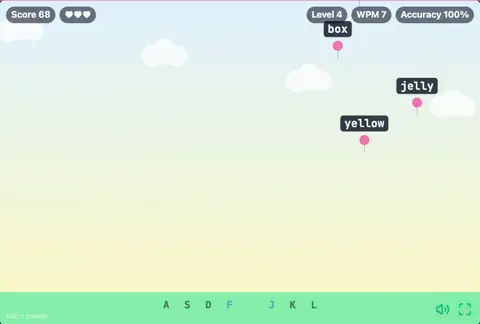
Alpha Words
Starts with single home-row letters (A S D F J K L), then home-row words: the first thing a touch typist learns.
Play Alpha Words - EASY
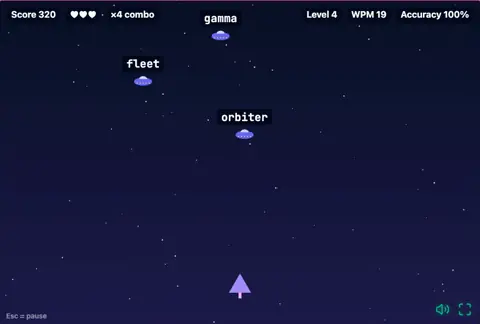
Galactic Mission
Short words on ships. Open it from a lesson and it uses only that lesson's keys.
Play Galactic Mission - EASY
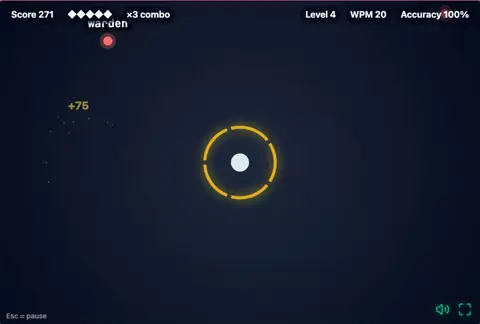
Endless Shield
Words fly at a shield from every side, which trains you to read ahead instead of looking down.
Play Endless Shield - EASY
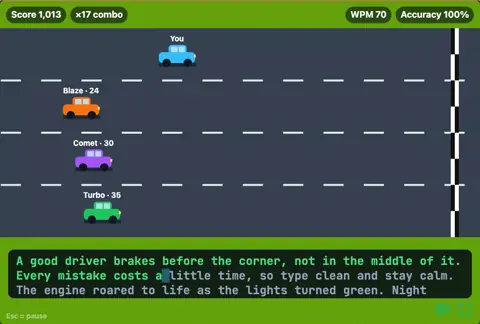
Car Racing Typing Game
Every correct letter moves the car; a wrong key only stalls it, so accuracy pays.
Play Car Racing Typing Game - MEDIUM
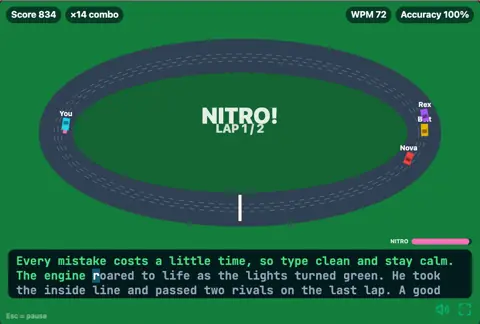
Nitro Track Racing
Two laps of real sentences. Five clean words in a row fill the NITRO boost.
Play Nitro Track Racing - MEDIUM
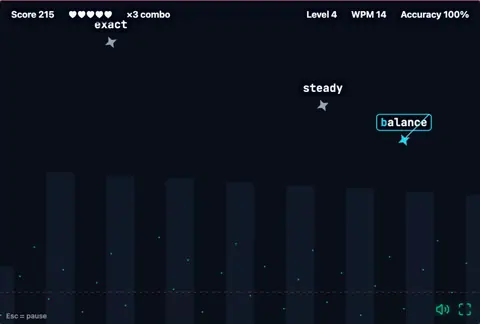
CyberNinja Typing Accuracy Game
Words fall slowly, but every wrong key costs a heart: a game built for clean, accurate typing.
Play CyberNinja Typing Accuracy Game
What touch typing is
Touch typing is a way of typing where each finger has a fixed set of keys and you do not look at the keyboard. The opposite is hunt and peck: looking down, finding a key, pressing it with one or two fingers. Hunt and peck feels faster on the first day, but your eyes keep jumping between the screen and the keys, and that limits your speed. Touch typists read the text and let their fingers work from memory.
An average adult types about 40 words per minute (WPM). Speeds of 60 WPM and up count as fast, and most people only get there once they stop looking at the keys.
The home row and the finger map
Every finger starts on the home row: the left hand on A S D F, the right hand on J K L ;. Most keyboards have a small bump on F and J so you can find the position without looking. From there each finger reaches up and down its own column and comes back.
| Finger | Home key | Also presses (QWERTY) |
|---|---|---|
| Left pinky | A | Q, Z, 1, Tab, Caps Lock, left Shift |
| Left ring | S | W, X, 2 |
| Left middle | D | E, C, 3 |
| Left index | F | R, T, G, V, B, 4, 5 |
| Right index | J | Y, U, H, N, M, 6, 7 |
| Right middle | K | I, comma, 8 |
| Right ring | L | O, full stop, 9 |
| Right pinky | ; | P, /, 0, -, Enter, right Shift |
| Thumbs | Space bar | |
The two index fingers do the most work: each covers two columns. The on-screen keyboard in every TypeTails lesson is coloured by finger, so you can check which finger a key belongs to while you type.
How to learn to touch type, step by step
- Home row first. Lesson 1 uses only A S D F J K L ;. Do not move on until you can type it without looking.
- Add one row at a time. Lesson 2 adds the top row and Lesson 3 the bottom row. Reach with the finger, not the whole hand, and return to the home row after every key.
- Train each finger. Lessons 4–6 drill the index, middle, ring and pinky columns separately; the weak fingers need the most practice.
- Move to real words and sentences. Lessons 7–10 use real words and short sentences, and Lesson 11 adds Shift for capitals.
- Numbers, punctuation and long text. Lessons 12–20 cover the number row and numpad, punctuation, paragraphs, vocabulary, code symbols and quotes.
Each lesson counts as passed at 90% accuracy, whatever your speed. Accuracy comes first: a slow, correct key teaches your fingers more than a fast wrong one.
How long it takes, and how to practise
Short, regular sessions work better than one long session a week. About 15 minutes a day for several weeks usually brings a clear improvement, and the first week, when you are slower than with hunt and peck, is the hardest part. Keep going: once the home row is automatic, speed follows.
- Keep your eyes on the screen. If you lose your place, feel for the bumps on F and J.
- Sit up straight, wrists level, fingers curved and resting lightly on the home row.
- Mix lessons with games. From any lesson page, the games under the keyboard open in lesson mode and use only that lesson's keys.
- Measure, do not guess: take the 1-minute typing test once a week and compare with your own last score.
Frequently asked questions
What is touch typing?
Touch typing is typing with all ten fingers without looking at the keyboard. Each finger rests on the home row (A S D F and J K L ;) and presses its own keys from memory.
How do I learn to touch type for free?
Start with the home row in TypeTails Lesson 1, add the top and bottom rows in Lessons 2 and 3, then move to words and sentences. All 20 lessons and the practice games are free, with no signup.
Which finger goes on which key?
Left hand on A S D F, right hand on J K L ;, thumbs on the space bar. Each finger reaches up and down its own column; the index fingers each cover two columns (F-G and H-J).
How long does it take to learn touch typing?
It depends on how often you practise. About 15 minutes a day for several weeks usually brings a clear improvement. Expect to be slower than usual in the first week.
Is touch typing faster than hunt and peck?
Over time, yes. An average adult types about 40 WPM; 60 WPM and up counts as fast, and reaching it usually means not looking at the keys.